Skip to content
88ek Slots / Sports
LIVE LOBBY

88ek — Lobby, Sportsbook and Live Tables for Bangladesh

Slots from Joker, PG Soft and Habanero sit right next to live tables and cricket sportsbook markets, all reachable in one scroll from your phone. Deposits run through bKash and Rocket — so your wallet and your account stay in the same hand.

bKash Nagad Rocket
Browse games
CONTENT / 01

Crash Countdown, BPL Powerplay Slots and Live Poker Pro

A few titles in the lobby consistently draw attention from returning accounts. Crash Countdown is a fast-format crash game where the multiplier climbs and you decide when to step out — the mechanic is simple to follow on a small screen and each round resolves quickly, which suits a mobile session.

  • Crash Countdown

    A fast-format crash game. The multiplier rises each round and you decide when to exit — short rounds that suit a quick mobile session.

  • BPL Powerplay Slots

    Cricket-themed slot title with a Bangladesh Premier League framing. Familiar if you follow BPL; accessible directly from the slots section of the lobby.

  • Live Poker Pro

    Live dealer poker table with a video feed and betting controls designed to work on a phone screen. A real dealer runs the round.

  • Holdem QuickFire

    Fast-format Texas hold'em structure with shorter round times than a standard poker table. Found in the live casino section of the lobby.

DISCOVER / 01

Choose your game

Full lobby
GAME NETWORK
Joker
Habanero
PG Soft
Spadegaming
Bigtime Gaming
CONTENT / 04

88ek lobby studios

The 88ek lobby carries content from Joker, Habanero, PG Soft, Spadegaming, Bigtime Gaming. To check the studio, rules or features of one specific game, open that game card or the published information panel.

  • Joker

  • Habanero

  • PG Soft

  • Spadegaming

  • Bigtime Gaming

LOCAL PAYMENTS

bKash, Rocket and Nagad — Local Wallets That Work

When your phone is already running bKash or Rocket, adding funds to your 88ek account wallet is a short process: open the Deposit tab in your account, choose your wallet, follow the reference instructions shown on screen, and confirm from your wallet app. Nagad and Bank Transfer are available alongside these. If your wallet transaction does not reflect in the Deposit tab within the expected window, note the reference number shown during the process and contact support with that reference ready.

  • bKash

    bKash is listed directly in the Deposit tab of your account. Select bKash, read the reference number shown, send from your bKash app to the displayed merchant number, and enter the transaction ID in the confirmation field.

  • Rocket

    Rocket deposits follow the same reference-based flow as bKash. Open the Deposit section, choose Rocket, note the account number and reference shown, send from your Rocket app, then confirm with the transaction ID. If you have used Rocket for mobile banking in Bangladesh before, the steps will feel familiar. Check your account transaction log to see the deposit status after submitting.

  • Nagad

    Nagad appears as a wallet option in the Deposit and Withdrawal sections of your account. The flow is reference-based: the account panel shows you the destination number and a unique reference to include with your transfer. After completing the send from your Nagad app, enter the confirmation ID back in your account. Transaction status updates are visible in your account's payment history.

  • Bank Transfer

    Bank Transfer is available for accounts where wallet options alone do not cover the required amount. Select Bank Transfer in the Deposit section to see the account details and reference number to use.

Banking
ACCOUNT JOURNEY

From Registration to Your First Lobby Session

Getting from a new account to an active lobby session takes four clear steps, and each one is built around the phone you are already holding. First, open the account registration page and complete the fields shown — your mobile number, a password and the basic details the form asks for. After completing registration, verify your mobile number when prompted, then navigate to the lobby through the main menu to begin your session.

  1. Register

    Open the account page and complete the registration form with your mobile number and required details.

  2. Verify

    Confirm your number using the verification method shown — this secures your account and wallet access.

  3. Deposit

    Go to the Deposit tab, choose bKash, Rocket or another listed wallet, and follow the reference instructions on screen.

  4. Explore

    Open the lobby from your dashboard and navigate to slots, live casino or sportsbook.

MEMBER DESK / 06

Offers, support and account controls

01

Game lobby

02

Payment guide

03

Support

ACCOUNT DESK

Account information

Review current account information after signing in.

Login
FEATURE BRIEF / 05

Sportsbook Markets Including Cricket and Football

Our sportsbook section covers cricket as a primary market — this is the category Bangladesh-based accounts open most. IPL, BPL and international cricket fixtures appear in the sportsbook when active; the current match list is visible after you sign in and open the Sports section.

Game feature guide
  • Cricket Markets

    IPL, BPL and international cricket fixtures are listed in the Sports section of the lobby when active. Market availability depends on the current schedule and your eligible region — check inside your signed-in account for the live list.

  • Football SpeedBet

    Football SpeedBet is a faster-format football betting title that sits in the sportsbook. It suits accounts that prefer shorter-round sports play between longer casino sessions. Find it in the Sports section of the lobby.

  • Sportsbook Access

    The full sportsbook is accessible from the main lobby navigation after signing in. The current market list, odds and live fixtures are all shown inside your account — availability depends on local law and eligible regions.

HELP AND ACCOUNT SUPPORT

Support Routes for Your Account

When something in your account needs attention — a deposit that has not updated, a withdrawal question, or a login issue — reaching the support team is the fastest path forward. The support route is listed in the Help section of your account panel; having your registered mobile number ready before you make contact helps the team locate your account faster.

  • Live Chat

    Open the Help icon inside your signed-in account to start a live chat session. This is the fastest route for deposit questions, wallet mismatches and account access issues. Have your transaction ID ready if the query relates to a bKash, Rocket or Nagad deposit so the agent can locate it quickly.

  • Message or Email

    For non-urgent account queries, a messaging or email route is listed in the Help section of your account panel. This suits questions about transaction history, account settings or offer eligibility where you do not need an immediate reply. Response times are not guaranteed here — check your account's Help section for current contact options.

  • Account Recovery

    Forgotten passwords and number-verification issues are handled through the recovery flow on the login page — follow the steps shown there first. If the automated process does not resolve your access problem, contact support via live chat with your registered mobile number ready so the agent can verify your account.

PHONE-FIRST ACCESS

The Lobby Is Already Built for Your Phone

No separate download is needed to use the full 88ek lobby on a mobile phone. The platform runs in your phone's browser — open the site, sign in, and the lobby loads with the same slots, live tables and sportsbook navigation as the desktop version.

  • Browser Access

    The full lobby — slots, live casino and sportsbook — is accessible from your phone's browser without downloading an app. Sign in through the 88ek site address and the mobile-formatted lobby loads directly. Your account wallet, deposit tab and support icon are all reachable from the main navigation on a small screen.

  • Account Continuity

    Your account state carries across devices. Sign in from a different phone, tablet or browser and your wallet balance, transaction history and account settings are all there. Sessions that were not explicitly closed may persist briefly, letting you return to the lobby section you left without navigating from the home screen again.

  • Wallet on Mobile

    bKash and Rocket deposits are formatted for the phone screen specifically. The deposit flow in your account shows the reference and merchant number in a layout that works alongside your wallet app — you can read the reference, switch to bKash or Rocket, complete the send, and return to confirm the transaction ID without losing your place.
CONTENT / 03

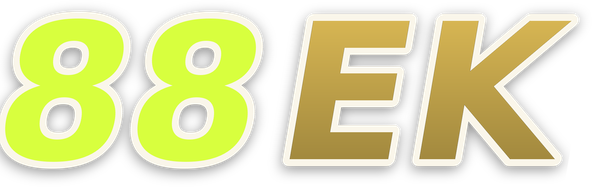
The Lobby Is Already Built for Your Phone

No separate download is needed to use the full 88ek lobby on a mobile phone. The platform runs in your phone's browser — open the site, sign in, and the lobby loads with the same slots, live tables and sportsbook navigation as the desktop version.

  • Browser Access

    The full lobby — slots, live casino and sportsbook — is accessible from your phone's browser without downloading an app. Sign in through the 88ek site address and the mobile-formatted lobby loads directly. Your account wallet, deposit tab and support icon are all reachable from the main navigation on a small screen.

  • Account Continuity

    Your account state carries across devices. Sign in from a different phone, tablet or browser and your wallet balance, transaction history and account settings are all there. Sessions that were not explicitly closed may persist briefly, letting you return to the lobby section you left without navigating from the home screen again.

  • Wallet on Mobile

    bKash and Rocket deposits are formatted for the phone screen specifically. The deposit flow in your account shows the reference and merchant number in a layout that works alongside your wallet app — you can read the reference, switch to bKash or Rocket, complete the send, and return to confirm the transaction ID without losing your place.

ACCOUNT AND FAIR PLAY

How We Handle Your Account and Fair Access

Your account at 88ek is tied to the mobile number you registered with, and that number is the anchor for wallet verification, login recovery and support identity checks. We do not share your account details with third parties outside the processes required to run the platform and verify transactions.

  • Account Security

    Your registered mobile number is the verification anchor for your account — it is used for login recovery, wallet withdrawal confirmation and support identity checks. Keep your registered number current in your account settings. If your number changes, update it through the account settings panel before initiating a withdrawal to avoid a verification hold.

  • Fair Game Data

    Games from Joker, PG Soft, Habanero, Spadegaming and Bigtime Gaming run on each studio's own certified platform. RTP information is only shown in the game panel where the studio has published it — we do not display invented or averaged figures. If a title shows no RTP, the studio has not released that data for that game.

  • Regional Access

    Platform availability and specific game or sportsbook market access depends on your local law and eligible region. The lobby and payment options shown to your account reflect your verified region. If a category is not visible in your account, it may not be available in your area — contact support for clarification rather than assuming it is a technical error.

  • Transparent Support

    Support agents can access your account's transaction log, session record and offer history to give you a factual answer to any query. We do not make claims about outcomes we cannot verify from your account record. If a deposit, withdrawal or game session is in question, the support team reviews the actual data — not a general estimate.

PLAYER INDEX / 07

Key Terms for Your 88ek Account

Some of the terms used in the account panel and payment flow can be unclear if you are new to the platform. This section covers the most common ones so you know exactly what each label means when you see it in your account. Account Wallet refers to the internal balance held on the platform, separate from your mobile wallet balance.

Player guide and glossary
  • What does 'pending' mean on a deposit transaction?

    A pending status means the transaction has been submitted but the payment network has not yet confirmed it on our side. For bKash and Rocket deposits, this usually resolves once the wallet sends its confirmation signal.

  • What is a reference number and why does it matter?

    When you initiate a bKash, Rocket or Nagad deposit, the account panel shows a unique reference number to include with your transfer. This reference links your wallet payment to your 88ek account.

  • What does 'wallet balance' mean in my account?

    Your wallet balance is the current amount available in your 88ek account for placing bets or joining tables. It increases when a deposit is confirmed and decreases when you place a wager. Winnings from completed rounds are added back to this balance.

  • What is a transaction ID?

    A transaction ID is the reference code your bKash, Rocket or Nagad app generates after you complete a send. It is a unique string of letters and numbers that identifies that specific wallet transfer. When you complete a deposit on 88ek, you enter this ID in the confirmation field.

  • What does 'account verification' mean?

    Account verification confirms that the mobile number registered to your account is one you control. This is done through a code sent to your number at registration or when you update account details. Verified accounts can access withdrawal functions and wallet confirmation steps.

  • What is the difference between slots and live casino?

    Slots are software-driven games where the outcome is determined by a certified random result each round — titles like Chittagong Lucky Slots and BPL Powerplay Slots fall in this category. Live casino involves a real human dealer running the game from a video-streamed table — Live Poker Pro is an example.

  • What does 'eligible region' mean for my account?

    Eligible region refers to the geographic area from which your account is registered and from which platform access is permitted under applicable local law. Not every game category, payment method or sportsbook market is available in every region. The options visible in your account reflect your verified region.

Full glossary
LOBBY / 02

One mobile lobby, distinct game areas

BPL Powerplay Slots Sports BPL Powerplay Slots Access → Live Poker Pro Live Live Poker Pro Access → Chittagong Lucky Slots Slots Chittagong Lucky Slots Access → Football SpeedBet Sports Football SpeedBet Access → Crash Countdown Slots Crash Countdown Access → Holdem QuickFire Slots Holdem QuickFire Access →
EXPLORE FURTHER / 04

Explore detailed guides

Local lobby check

QUICK ANSWERS

Frequently asked questions

These are the questions we hear most often from accounts getting started or returning after a gap. If yours is not here, the support team via live chat is the fastest way to get a direct answer tied to your specific account.

Read FAQ →
How do I log back in if I have forgotten my password?

Go to the login page and select the password recovery option shown beneath the sign-in fields. The recovery flow sends a verification message to your registered mobile number. Follow the steps shown on screen — they will prompt you to set a new password.

Can I use 88ek on my phone without downloading an app?

The full lobby is accessible from your phone's browser — there is no app download required. Open the 88ek site address in your mobile browser, sign in, and the lobby loads in a mobile-adapted layout. Slots, live tables, the sportsbook and the payment tab are all available in the browser version.

Which payment methods are available for deposits?

bKash, Rocket, Nagad and Bank Transfer are the listed deposit options inside the account panel. Each has its own reference-based flow shown at the time you initiate the deposit. Select the method that matches the wallet app on your phone, follow the instructions on screen, and enter the transaction ID after completing the send.

How do I know if my bKash deposit went through?

After submitting the transaction ID in the deposit confirmation field, check your account's transaction history. The deposit will appear with a status: pending, processing or complete. If it stays on pending longer than the time noted in your account's Help section, contact support with your bKash transaction ID and the exact time of the transfer.

What games are available for cricket fans?

The sportsbook section carries cricket markets including IPL, BPL and international fixtures when those are scheduled and active. BPL Powerplay Slots is a cricket-themed slot title in the slots section if you want a casino format with a cricket framing.

How do I contact support about a transaction issue?

Open the Help section inside your signed-in account and start a live chat session. For transaction issues specifically — a deposit not showing, a withdrawal pending, a reference mismatch — have your wallet transaction ID and the time of the transfer ready before the chat starts.

Does the lobby work the same way if I switch from my phone to a laptop?

Yes — your account carries across devices. Sign in on a laptop or tablet using the same credentials, and your wallet balance, transaction history and account settings are all there. The lobby layout adapts to the larger screen.

Are there limits on how much I can deposit or withdraw?

Deposit and withdrawal limits are shown inside your account at the time you initiate the transaction — the minimum and maximum amounts are displayed in the relevant fields on the payment screen. We do not publish fixed limits on this public page because they can vary by payment method and account status.

READY WHEN YOU ARE

88ek game lobby

Access may be available only where local law permits.

Register Login